Use parameters
After you install the Sitecore XM/XP integration, the following parameter types are available. You can use these to incorporate content from Sitecore XM/XP into your components and compositions.
| Parameter type | Description |
|---|---|
| Sitecore Item | Select one or more items from Sitecore. |
Sitecore Item
This parameter type allows a Uniform user to select one or more Sitecore items.
Add parameter to component
In order to allow a user to select one or more items from Sitecore, you must add a parameter to a component. The parameter is used to store the identifiers to the selected items when the user selects items.
In Uniform, navigate to your component.
Add a new parameter using the parameter type Sitecore Item.
The following values can be specified:
Name Description Allowed Template If you select a template, the user will only be able to select an item based on the selected template. If not template is selected (the default), then the user can select any item. DataSource Locations The root items presented to the user so the user can select an item. Allow Selecting Multiple Items Indicates whether the user can select only one item (the default), or more than one item. Required Indicates whether the value is required when the component is used. 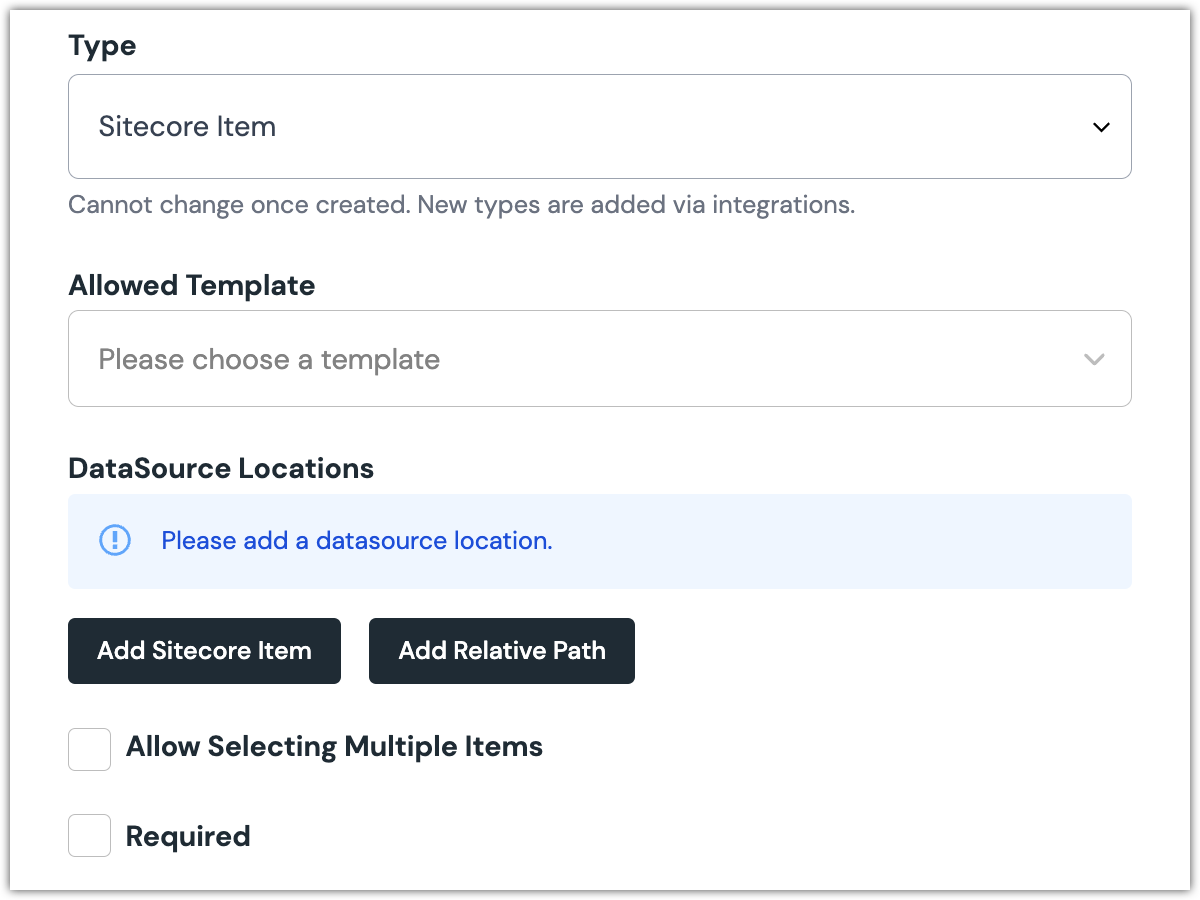 Sitecore Item parameter configuration.
Edit parameter value
When you use a component with a Sitecore Item parameter, by default no item will be selected. You must select an item.
Click Select new item.
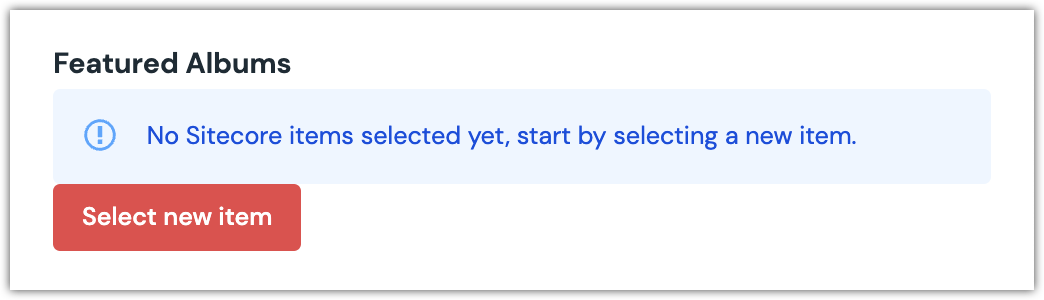
Find the item you want to select.
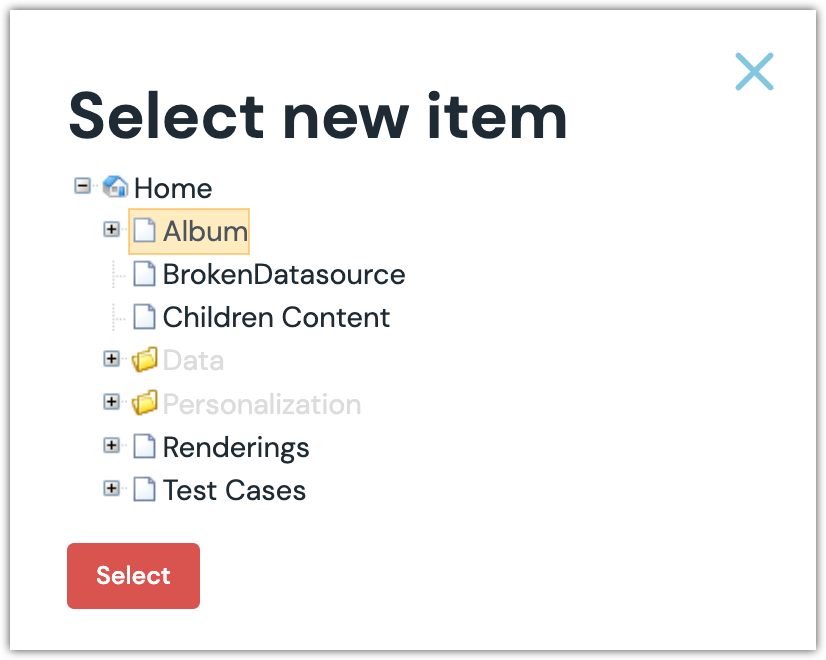
Click Select to save your selection.
You will see details about the item you selected, including the path and some metadata.
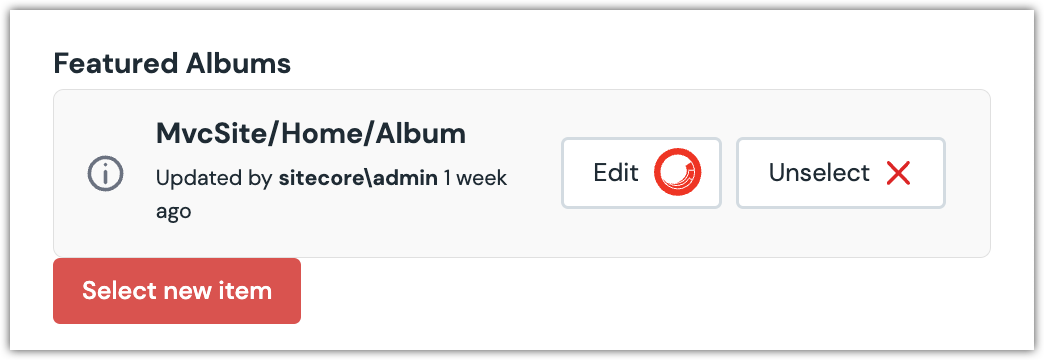
About this step
After your selected is saved, you are presented with the following options:
- If you want to edit the selected item in Sitecore, click Edit.
- If you want to unselect the item, click Unlink.
- If the option to select multiple items was specific for the parameter, you can select additional items by clicking Select new item.
Configure an enhancer
When an item is selected, Uniform only stores the identifier for the item. Your front-end application must retrieve the details for the item. Uniform provides an enhancer to simplify this process.
tip
Using the enhancer provided by Uniform saves you from having to write logic to interact directly with Sitecore.
tip
If you are migrating Sitecore renderings & layouts, that section of the documentation provides specific information on how to configure an enhancer.
How Uniform stores the selected item
The following is an example of what Uniform stores for the parameter.
{
  "type": "sitecoreItem",
  "value": "######################"
}
The item ID is stored as the value. If multiple items are selected, the value is a string of the selected item IDs separated by the pipe character.
Add the enhancer
Uniform provides an enhancer so you don't need to write the API calls to Sitecore to retrieve data for items.
tip
For more information about the enhancer, see the package documentation.
info
Coming soon.