Webhooks
The webhooks allow Uniform to notify the external systems about changes happening within your Uniform project. In a basic sense, a webhook is one or many URLs invoked by Uniform when anything in a given project is published:
- Intents
- Tests
- Compositions
Use cases
The following are examples of what you can do with webhooks:
- Trigger a build
- Regenerate the Uniform manifest
Webhook requirements
In order for Uniform to be able to use a webhook the endpoint must satisfy the following requirements:
| Requirement | Value | Description |
|---|---|---|
| HTTP method | POST | The endpoint you specify must support this method. |
| Payload | None | Uniform does not provide any information to the webhook describing what was published. This means you only know that something was published, but not what exactly was published. |
| Response status code | 200-299 | If Uniform receives a response with a different status code, Uniform considers the webhook has failed. See troubleshooting a webhook for more information. |
| Response time | 5 seconds | If Uniform does not receive a response within this amount of time, Uniform considers the webhook has failed. See troubleshooting a webhook for more information. |
Create webhook
In Uniform, open your project.
Navigate to the Settings tab.
In the left menu, click Webhooks.
Enter the following values:
Field Description Name Descriptive name for the webhook. URL URL for the webhook endpoint. Uniform sends a request to this URL.
Create webhook for Netlify
If you are using Netlify to run your site build and deployment processes you might want these processes to be triggered when something is published in Uniform.
Before you start
You must have continuous deployment configured in your Netlify site in order to configure a build hook in Netlify.
In Netlify, open your site.
Navigate to Site settings > Build & deploy > Continuous Deployment > Build hooks.
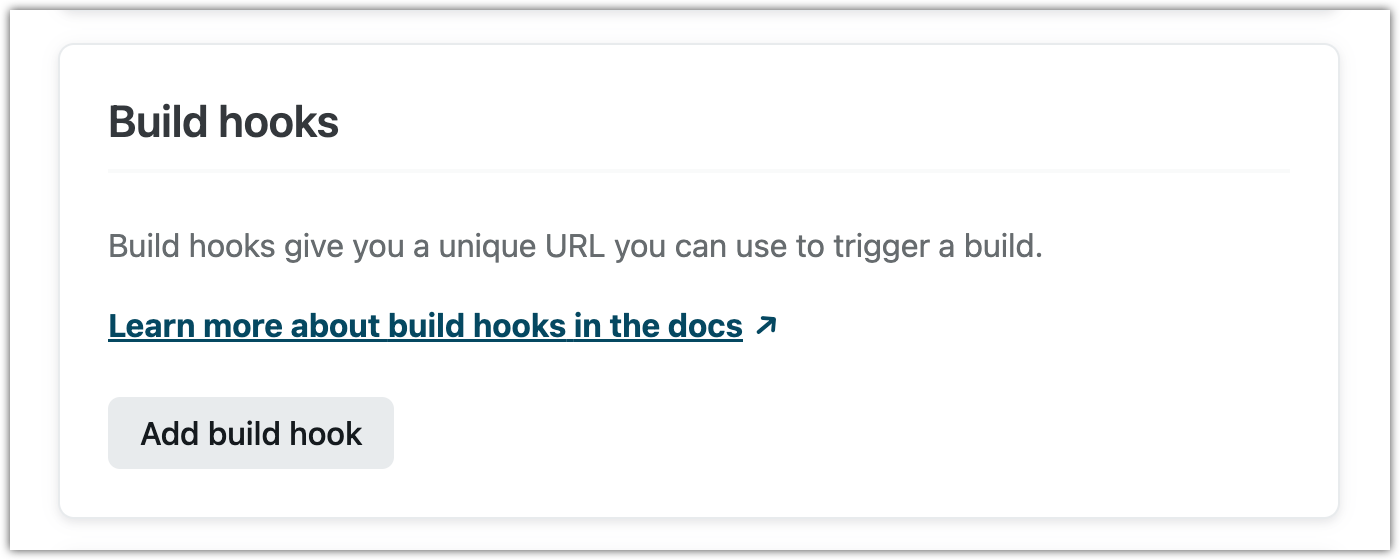
Click Add build hook.
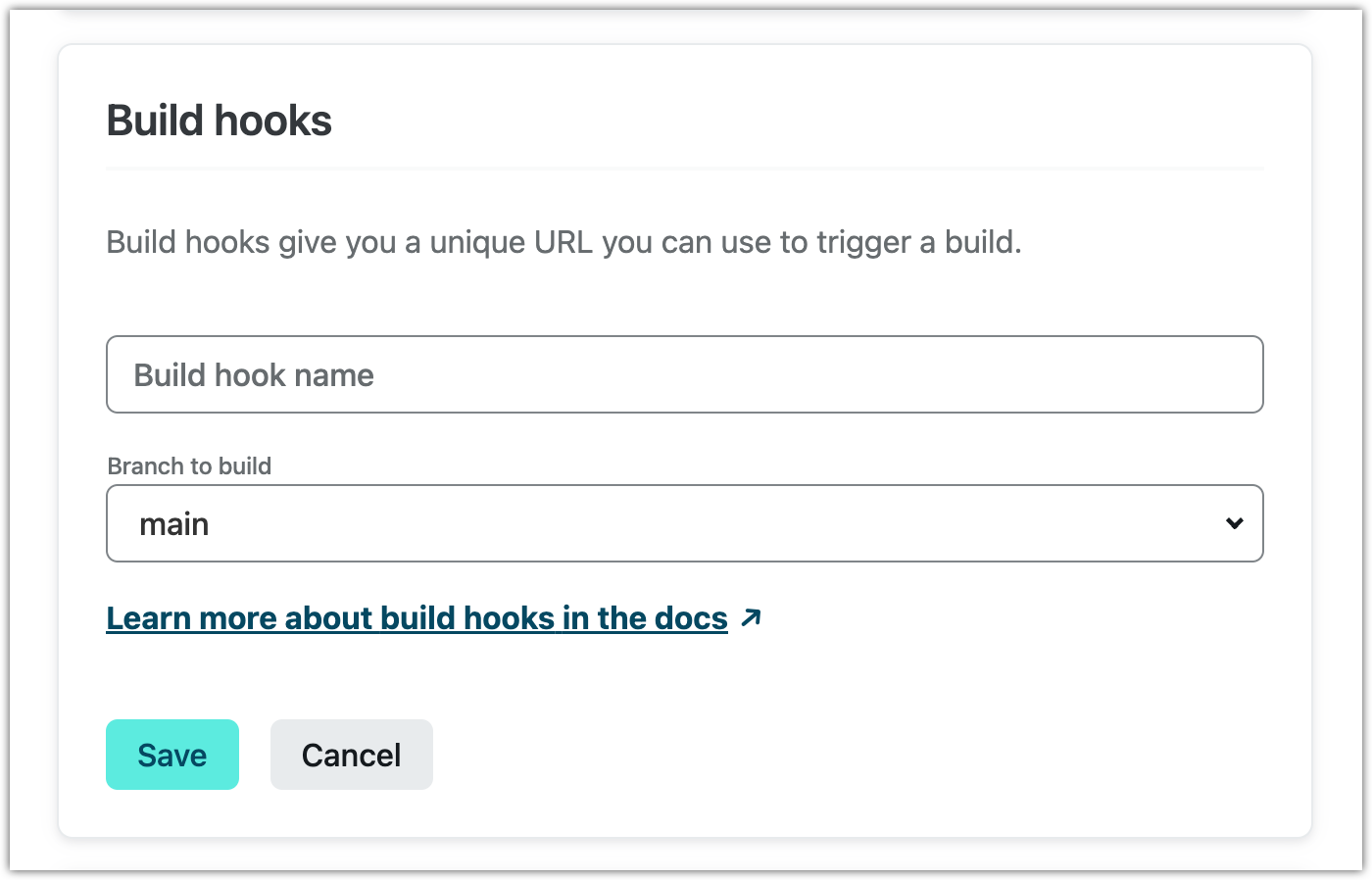
Enter the following values:
Click Outgoing webhook.
Enter the following values:
Field Description Build hook name Descriptive name for the build hook. Branch to build The build process will be triggered using the selected branch. Click Save.
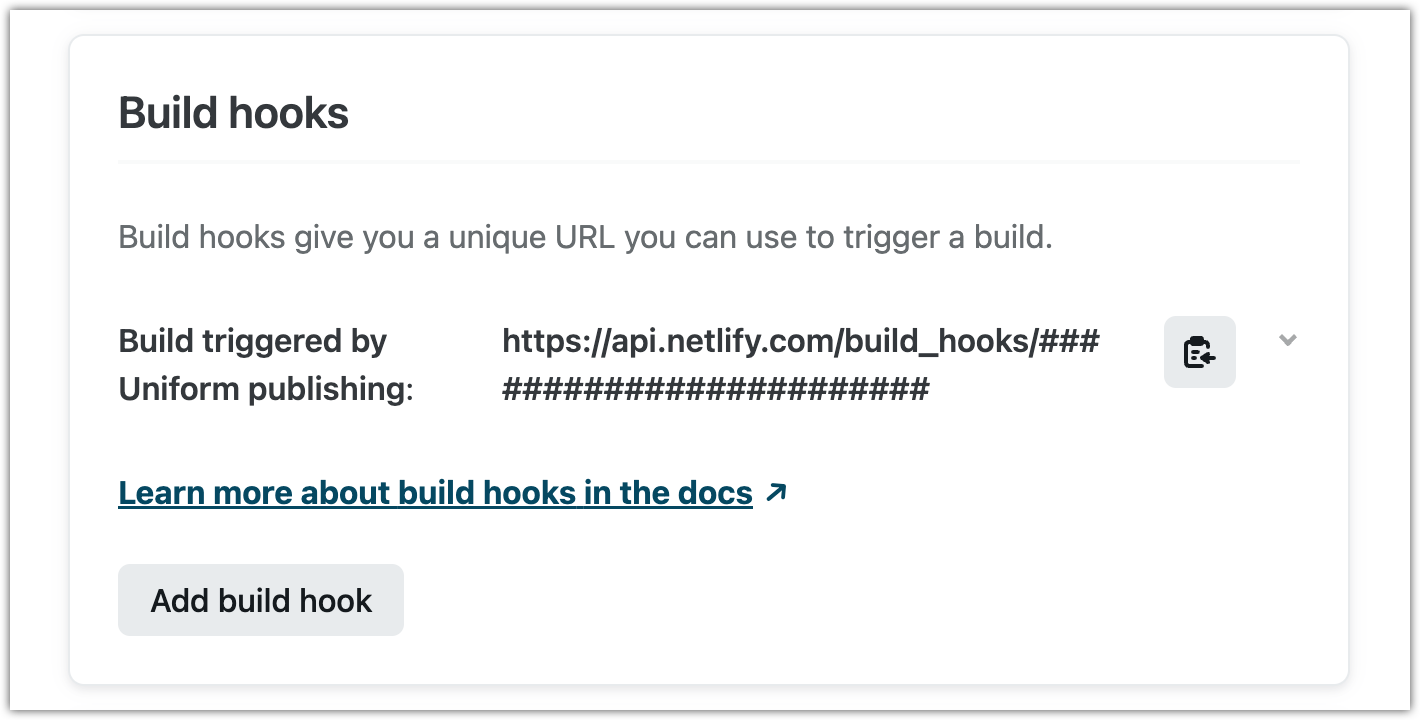
The build hook URL is displayed. Copy this value.
Next steps
Now you can create a webhook in Uniform that uses this URL. The result will be that whenever anything in your project is published, the build and deploy processes in Netlify will be triggered using the build hook you created in Netlify.
Create webhook for Vercel
If you are using Vercel to run your site build and deployment processes you might want these processes to be triggered when something is published in Uniform.
Before you start
You must have a Git repository configured in your Vercel project in order to configure a deploy hook in Vercel.
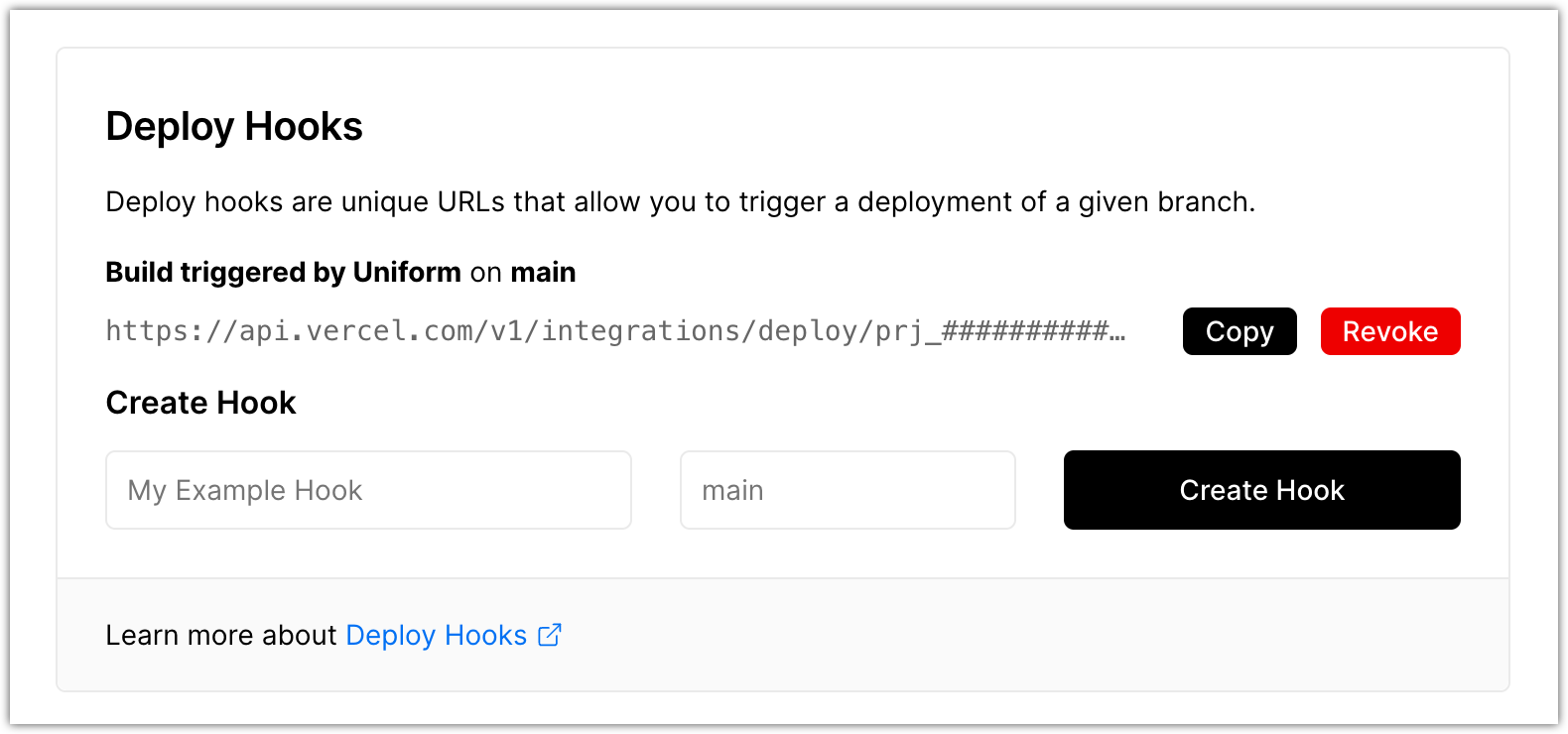
In Vercel, open your project.
Navigate to Settings > Git > Deploy Hooks.
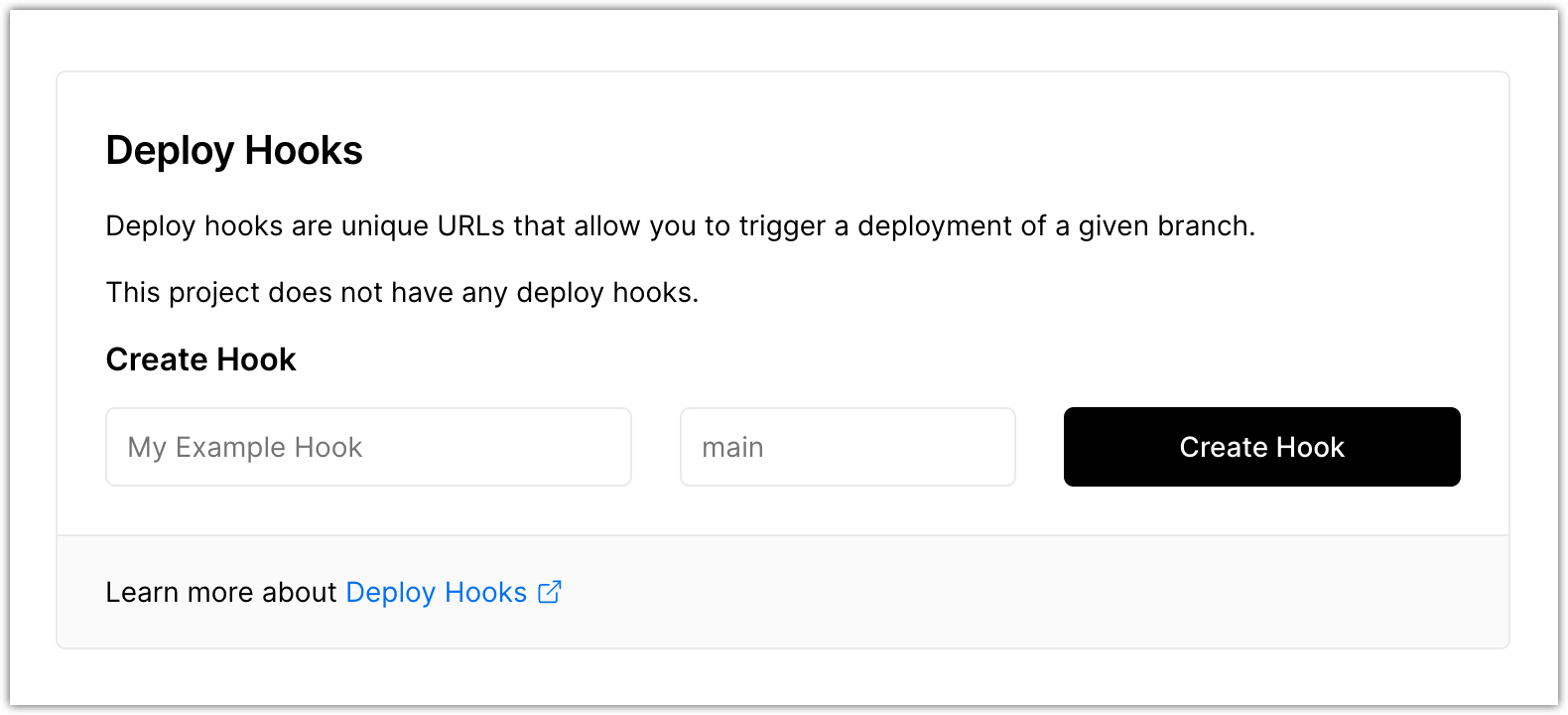
Enter the following values:
Field Description Deploy hook name Descriptive name for the build hook. Branch to build The build process will be triggered using the selected branch. Click Create Hook.
The build hook URL is displayed. Copy this value.
Next steps
Now you can create a webhook in Uniform that uses this URL. The result will be that whenever anything in your project is published, the build and deploy processes in Netlify will be triggered using the build hook you created in Netlify.
Delete webhook
- In Uniform, open your project.
- Navigate to the Settings tab.
- In the left menu, click Webhooks.
- Find the webhook you want to delete and click Delete.
Troubleshoot webhook
Uniform invokes webhooks during its publishing process. Details about when the publishing process was last run and which webhooks were invoked is available in the publishing history section.